


Description
Download Crosshair V2 – crosshair overlay, aim assist, competitive gaming, precision aiming, FPS games, game overlay, enhance accuracy, crosshair customization, pro gamer tools, gaming performance
Overview
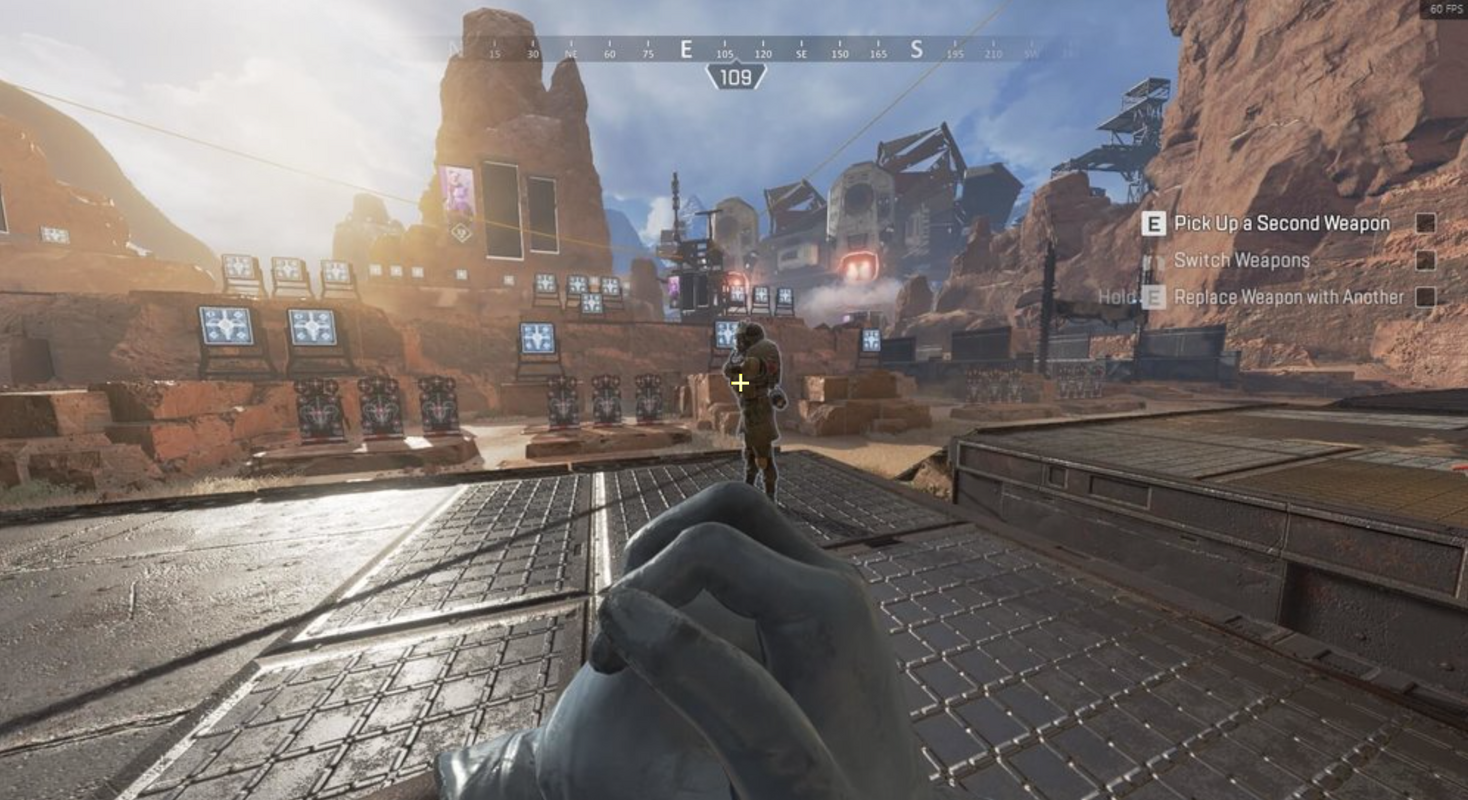
Crosshair V2 is a mobile application designed to enhance precision and performance in competitive gaming environments, particularly for players engaged in first-person shooter (FPS) titles. The app functions as a crosshair overlay tool, providing users with customizable aiming assistance to improve shot accuracy and reaction speed during gameplay. By integrating directly into the gaming interface, Crosshair V2 aims to deliver a consistent and reliable aiming reference, which is critical in high-pressure, fast-paced matches.
Targeted primarily at serious gamers and competitive players, the app addresses the need for consistent, adjustable crosshair positioning across various games and display modes. Its focus on precision aiming and customizable overlays positions it as a utility tool for those seeking to refine their gameplay mechanics. While the developer, Crosshair V2, has not provided additional background information, the app’s technical focus suggests a specialized development background in gaming performance tools.
Real-world use cases include players adjusting crosshair size, style, and color to match their preferred visual setup, especially when playing on mobile devices where screen clarity and touch response can affect aiming. The app is particularly relevant in the growing mobile gaming ecosystem, where competitive play is increasingly popular. By offering a lightweight, dedicated solution, Crosshair V2 contributes to the broader category of mobile gaming utilities designed to optimize player performance.
Key Features & Functionality
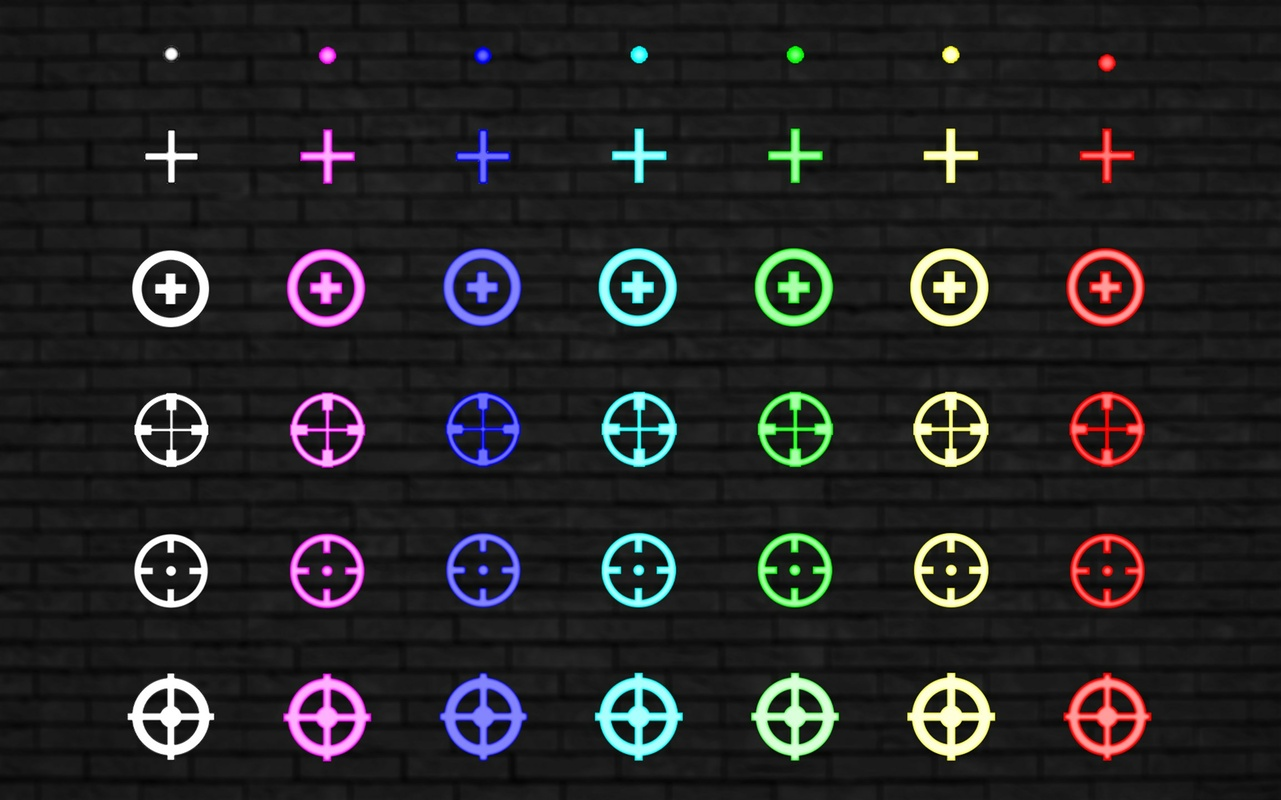
- Wide Selection of Crosshair Presets: The app provides a variety of pre-designed crosshair templates used by professional players. These presets are tailored to different gaming styles and screen configurations, allowing users to quickly select a setup that matches their preference.
- Customizable Crosshair Design: Users can adjust crosshair size, thickness, color, and spacing to create a personalized aiming point. This level of customization ensures optimal visibility and comfort during extended gaming sessions.
- Compatibility with Multiple Display Modes: Crosshair V2 is designed to function seamlessly in borderless windowed, fullscreen, and exclusive fullscreen modes. This flexibility ensures that the overlay remains stable and visible regardless of how the game is displayed.
- Game-Specific Optimization: The application allows users to tailor the crosshair to specific games, adapting to different field-of-view settings and screen resolutions commonly found in FPS titles.
- Lightweight Performance: With a file size of 15.6 MB, the app is optimized for efficient operation without consuming excessive system resources, making it suitable for a wide range of Android devices.
For example, a player using a high-refresh-rate device might select a thin, centered crosshair for faster target acquisition. In contrast, a user playing on a lower-resolution screen could opt for a larger, more visible crosshair to reduce aiming errors. These practical adjustments reflect real-world scenarios where visual clarity and consistency directly impact gameplay outcomes.
Interface, UX & Performance
The user interface of Crosshair V2 is designed with simplicity and speed in mind. The main screen presents a clean layout with intuitive controls for selecting and modifying crosshair presets. Navigation is straightforward, allowing users to access customization options with minimal taps, which is essential during active gameplay sessions.
Visual design emphasizes clarity and minimal distraction. The interface uses a neutral color scheme with clear icons and labels, ensuring that users can focus on configuring their crosshair without confusion. The app’s responsiveness is consistent across various device categories, though specific performance benchmarks were not disclosed by the developer.
Although the developer did not list formal performance metrics, the app’s lightweight size and efficient design suggest stable operation under normal usage conditions. Users can expect minimal lag or interference during gameplay, which is critical for maintaining competitive edge. Stability appears to be a priority, as the app maintains its overlay across different display modes without flickering or disappearing.
Platform Compatibility & Technical Requirements
Crosshair V2 is available exclusively on the Android platform. It requires Android OS version 5.0 or higher, although specific minimum requirements were not fully disclosed by the developer. The app has a file size of 15.6 MB, making it suitable for devices with limited storage capacity.
Compatibility with various Android devices is implied by the app’s lightweight design, but the developer did not provide detailed information on supported screen resolutions, GPU types, or hardware acceleration. Users should ensure their device meets general Android standards for running third-party overlays.
Updates are managed through the official app store, and the current version is 1.0.3. The app is priced at $2.99, reflecting its specialized utility and target audience of dedicated gamers.
Pros and Cons
Pros
- Offers a wide selection of crosshair presets tailored for competitive play
- Highly customizable crosshair design for personal preference and game type
- Compatible with multiple display modes, including borderless and fullscreen
- Lightweight file size ensures efficient performance on various devices
- User-friendly interface enables quick setup and adjustments
Cons
- Specific compatibility details with device hardware were not provided
- Developer did not disclose performance metrics or optimization data
- Only available on Android, limiting access for iOS users
- Price point may be considered high for a utility tool by some users
- No information on automatic updates or cloud sync features
FAQ
Is Crosshair V2 safe to install on my Android device?
Yes, the app is designed to operate as a game overlay and does not require root access. It is distributed through official channels, ensuring a secure installation process.
Can I use Crosshair V2 with any FPS game?
The app is compatible with a wide range of FPS games, particularly those that support third-party overlays. However, performance may vary depending on the game’s rendering engine and display settings.
Does Crosshair V2 require root access?
No, the application does not require root privileges. It functions as a background overlay without modifying system files.
How often is Crosshair V2 updated?
Updates are released periodically through the app store. The current version is 1.0.3, and users are encouraged to keep the app updated for optimal performance.
Is there a free version available?
Currently, Crosshair V2 is a paid application priced at $2.99. There is no free version or trial period available.
Final Thoughts
Crosshair V2 stands out as a focused, efficient tool for mobile gamers aiming to improve their precision and consistency in competitive FPS environments. Its customizable crosshair presets, compatibility with multiple display modes, and lightweight design make it a practical addition to any serious player’s toolkit. While it lacks broad platform availability and detailed technical documentation, its core functionality is well-executed and directly addresses a niche but critical need in mobile gaming.
Players who prioritize accuracy and are willing to invest in a dedicated performance enhancer will find significant value in this app. Whether you're preparing for tournaments or simply want to refine your aim, Crosshair V2 delivers targeted functionality without unnecessary complexity.
Download Crosshair V2 now
Guides & Tutorials for Crosshair V2
How to install Crosshair V2
- Click the Preview / Download button above.
- Once redirected, accept the terms and click Install.
- Wait for the Crosshair V2 download to finish on your device.
How to use Crosshair V2
This software is primarily used for its core features described above. Open the app after installation to explore its capabilities.
User Reviews for Crosshair V2 0
No reviews found


